

Legal work has always depended on relationships: who you know, who trusts you, and who remembers you when a problem turns into a mandate.
But most law firms still run client relationship management on Outlook folders, spreadsheets, and whatever’s in a partner’s head.
The result?
- Lost leads because nobody followed up after the first call
- Duplicated client information is scattered across email, billing, and case files
- Poor visibility into marketing ROI and which channels actually bring in new clients
The best legal CRM software solves this by providing your law firm with a central system for managing leads, clients, matters, and communication, often tied directly to case management, document management, time tracking, and billing.
In this guide, we’ll cover:
- What legal CRM software actually is;
- The core concepts (matter workspaces, audit trails, payments, data residency);
- How to choose the right CRM for your law practice;
- 9 of the best legal CRM options for different types of firms.
Let’s get started!
What is legal CRM software?
Legal CRM software is a client relationship management (CRM) software built specifically for the legal industry.
Where generic CRM software like HubSpot CRM or Salesforce is built for sales teams in any vertical, law firm CRM is designed around how lawyers and legal professionals actually work.
A typical legal CRM helps your law firm:
- Store and update client information and other client data in a structured CRM system
- Track the full history of client communication (emails, calls, meetings, tasks)
- Automate follow-ups so no lead falls through the cracks
- Hand off qualified matters into legal case management and billing
In many platforms, the line between:
- Legal CRM (intake, marketing automation, contact management), and
- Law practice management software (matters, practice management, document management, time tracking, billing)
…is intentionally blurred.
Tools like Zygos, CosmoLex, CARET Legal, Clio Manage, PracticePanther, and others combine client relationship management with full law practice management software so the same system can handle intake, matters, and money.
Key concepts and features in legal CRM software
Before comparing tools, it helps to understand the concepts that make a CRM truly “legal-grade.”
1. Matter-centric workspaces and contact management
Most generic CRM tools are built around “deals” or “opportunities.” Legal work isn’t quite like that.
A good legal CRM organizes your world around:
- Contacts: people and organizations (clients, counterparties, referrers)
- Matters/projects: the unit of work in a legal practice

Inside each matter workspace, you’ll typically see:
- Linked clients and related parties
- Key facts and case information
- Tasks, deadlines, and events
- Notes and emails
- Time entries and expenses
- Linked documents
On the contact side, strong contact management gives everyone in the legal team a complete view of:
- Every matter linked to that person or company
- Every interaction with that client (calls, meetings, emails)
- Their current status (lead, active client, former client)
This matter-first view is what makes legal CRM software different from “best CRM” lists aimed at generic B2B sales teams.
2. Intake pipelines, automation, and marketing
Your intake process should behave like a well-run sales funnel, not a random sequence of phone calls and sticky notes.
Modern law firm CRM tools turn intake into a visual pipeline with stages like:
- New inquiry
- Qualified lead
- Consultation scheduled
- Proposal or retainer sent
- Signed and converted to matter
On top of that pipeline, you’ll often see:
- Automation and marketing automation: automatic reminders, follow-up emails, SMS nudges, and tasks whenever a lead stalls.
- Segmentation: tagging leads by practice area, source, jurisdiction, and urgency.
- Reporting: understanding which campaigns, referrers, or channels produce the most profitable matters.
Some platforms now layer in artificial intelligence to:
- Auto-summarize intake notes
- Suggest next steps
- Score leads based on fit and engagement
For small law firms, this feels like having a virtual intake coordinator. For larger firms, it’s about consistency: every potential client gets the same high-quality experience.
3. Document management and document automation
Your CRM is the entry point for client relationships, but those relationships are expressed in documents: NDAs, engagement letters, court forms, and resolutions.
That’s why the best legal CRM tools either include or integrate with:
- Document management – secure storage, search, and version control for all matter-related files
- Document automation – generating standard documents from templates, populated with client data from the CRM

Typical workflows:
- Intake collects details about the client and the legal service
- The system uses document automation to generate an engagement letter or fee agreement based on that data
- The client reviews and e-signs, and the signed document is automatically stored against the matter
When document management is tightly integrated with client management and case management, your team stops hunting in shared drives and email threads for “the latest version.”
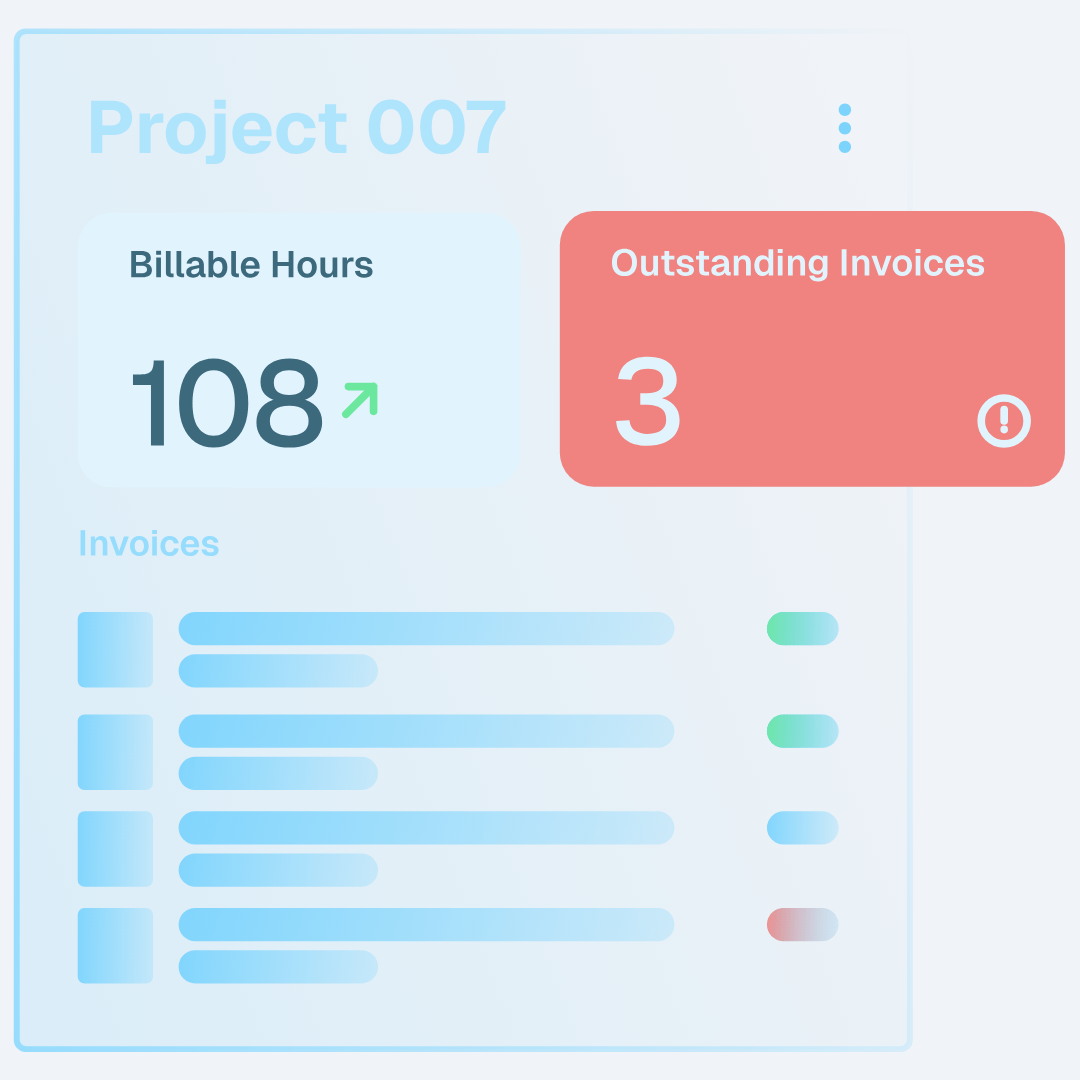
4. Time tracking, payments, and billing
Even if your CRM isn’t the tool where invoices are generated, it should hand off clean, accurate data into your:
- Time tracking
- Billing and payments
- Accounting systems
All the client data and matter details captured at intake—scope, fee structure, billing contact, should flow through to:
- How timekeepers log their work
- How invoices are structured
- How you monitor legal spend for each client
All-in-one platforms like Zygos, CosmoLex CRM, and CARET Legal don’t just integrate with billing. That’s attractive for legal firms that want one system for everything from first touch to final payment.
5. Compliance and data residency
Finally, legal CRMs operate under stricter expectations than typical sales CRMs.
A “good enough” CRM for a SaaS startup might be a total non-starter for a law practice because it lacks:
- Fine-grained permissions for partners, associates, paralegals, and admin staff
- Clear data residency and hosting details for regulatory compliance
- Security features that match client expectations
This matters even more for:
- Firms handling sensitive corporate, trust, or tax work
- Cross-border practices that must align with GDPR or local data-protection rules
- Practices with AML/KYC obligations, where you must evidence legal operations and checks
Any CRM solution you shortlist should be able to answer detailed questions about where data is stored, how it’s backed up, and how access is controlled.
How to choose the best legal CRM software for your law firm
1. Start with your firm’s bottlenecks
Instead of asking “What’s the best legal CRM software?” start with:
- Where are we losing potential clients today?
- Where do we duplicate data between systems?
- Where does client communication break down, hurting customer service?
- Where don’t we have visibility (e.g., which campaigns produce profitable matters)?
Different answers imply different tools:
- A litigation-heavy boutique might care most about a smooth handoff into legal case management.
- A consumer-facing firm might prioritize intake speed and marketing automation.
- An in-house legal team might focus on data residency and integration with corporate systems.
2. Decide between CRM-only and all-in-one practice management
There are two main paths:
Dedicated legal CRM / intake tools
- Examples: Lawmatics, Law Ruler, Lead Docket
- Strengths: deep intake and marketing automation; flexible pipelines.
- You’ll still need separate practice management software for matters and billing.
All-in-one law firm software
- Examples: Zygos, CosmoLex CRM, CARET Legal, Clio Grow + Clio Manage, PracticePanther, MyCase
- Strengths: one place for intake, case management, documents, time, and billing.
If your firm already has strong law practice management software, you can add a pure legal CRM on top. If your tech stack is fragmented, an all-in-one law firm CRM plus practice management system can dramatically simplify operations.
3. Match features to your legal practice
When you compare tools, concentrate on features that impact everyday work:
- Intake and pipeline: Can you see at a glance where each lead sits? Can you customize stages by practice area?
- Client relationship management: Is the full history of each client accessible in seconds?
- Case/matter alignment: How does a converted lead become a matter? Is it automatic?
- Integrations: Email, calendar, accounting, e-signature, phone systems.
- Reporting: Can you see conversion rates, marketing ROI, and performance by channel, office, or fee earner?
Also consider usability:
- How quickly can a partner open their matters and see upcoming tasks?
- How easy is it for support staff to create a new law practice matter from a phone call?
4. Factor in jurisdiction, hosting, and support
Finally, your choice of CRM is partly a jurisdiction call:
- Where is data hosted (EU, UK, US, other)?
- Does the vendor understand your regulatory environment?
- Do they offer support and onboarding in your time zone?
For firms in jurisdictions like Cyprus, Malta, the Channel Islands, or other offshore centers, these details aren’t “nice to have.” They’re essential to avoid regulatory friction and client pushback.
The 9 best legal CRM software options for law firms
Here are nine strong options. The “best” choice depends on your practice areas, size, and jurisdiction.
1. Zygos – best for EU and offshore firms that need CRM-style client management, practice management, and compliance in one platform
Zygos is a comprehensive law firm platform designed for regulated EU and offshore environments. It is not a traditional marketing CRM, yet it delivers CRM-style capabilities through structured contact management, intake workflows, and a centralised matter-based architecture. The platform brings together client management, practice management, and compliance in one secure system.
Key capabilities include:
- Contact and client management with full profiles, relationships, KYC data, and document storage
- Structured project and matter workspaces that centralise contacts, entities, documents, tasks, and time entries
- Document management with indexing, metadata, permissions, and MS Office integration
- Time tracking, billing, multicurrency invoicing, and financial reporting
- Integrated AML/KYC suite with customizable questionnaires, automated risk scoring, screening, and monitoring
How firms use Zygos:
- Capture client information and required KYC data once, without retyping
- Convert approved clients into matters seamlessly
- Maintain complete visibility on each engagement through a single workspace
- Apply strict permissions, data segregation, and EU-based data residency for compliance-sensitive operations
Why it stands out:
Zygos was built for jurisdictions where AML rules, data protection and auditability are central. Its permissioning structure, encrypted EU hosting, and compliance workflows often cover areas where generic CRMs or US-centric tools fall short.
Best for:
Law firms, corporate service providers, and fiduciary teams seeking CRM-style client management, legal practice management, and compliance in a unified, EU-hosted platform.
Schedule a call to explore Zygos’ features
2. Lawmatics – best for intake and marketing automation
Lawmatics is a pure legal CRM focused on turning inquiries into signed clients through smart automation.
Key strengths:
- Highly configurable intake pipelines and workflows
- Email and SMS automation for reminders, nurture sequences, and status updates
- Strong templating for forms, documents, and questionnaires
- Built-in reporting to connect marketing spend with signed matters
Lawmatics is a good fit for marketing-driven firms that want sophisticated marketing automation around their intake and client communication, and are happy to integrate with separate case management and billing tools.
3. Law Ruler – best for high-volume consumer practices
Law Ruler is designed for high-volume, consumer-facing practices—think personal injury, immigration, criminal defense—where the challenge is managing a flood of leads.
Key strengths:
- Omnichannel intake: phone, web, chat, and campaigns feeding directly into the pipeline
- Customizable scripts and forms for different practice areas
- Built-in call tracking and texting for immediate follow-up
- Integrations into popular legal case management platforms and dialing systems
If your firm measures success by the number of leads and quick response matters just as much as by billable time, Law Ruler can be a strong CRM tool to sit at the front of your tech stack.
4. CosmoLex CRM – best for firms wanting CRM plus full practice management
CosmoLex CRM is part of the CosmoLex ecosystem, which combines:
- Client relationship management
- Practice management and case management
- Accounting, trust accounting, and billing
For many small law firms and mid-sized practices, the appeal is clear: one login covers intake, matters, documents, and money.
Key strengths:
- End-to-end workflow from lead to paid invoice
- Tight relationship between client/matter records and financials
- Designed specifically as law firm CRM plus practice management, not a generic CRM retrofitted for lawyers
CosmoLex CRM is ideal if your firm wants to reduce the number of vendors and prefers a single, vertically integrated software platform.
5. CARET Legal – best for all-in-one firm management with CRM
CARET Legal (formerly Zola Suite) is another all-in-one platform that blends:
- Law practice management software
- Built-in CRM and intake
- Email, calendaring, and task management
- Document and case management
- Time tracking and billing
Key strengths:
- Deep matter-centric workflows across the full lifecycle
- Integrated email and tasks that reduce context switching
- Flexible reporting and dashboards across practice areas and attorneys
Because CARET Legal is built as a comprehensive firm-management environment, it’s a strong choice for growing firms that want both best legal CRM software capabilities and robust practice management in the same interface.
6. Clio Grow + Clio Manage – best ecosystem for growing firms
Clio splits CRM and practice management into two products:
- Clio Grow – legal CRM and intake
- Clio Manage – case management, document management, time tracking, and billing
Together, they form one of the most widely recognized ecosystems in legal tech.
Key strengths:
- User-friendly intake forms and workflows in Clio Grow
- Strong document management and matter organisation in Clio Manage
- A large integration marketplace for connecting email, accounting, and other tools
- Good resources and community support for onboarding your team
Clio is a safe, mainstream choice if you want a mature CRM solution plus practice management with wide industry adoption.
Read the detailed comparison we’ve written about Clio and MyCase.
7. PracticePanther – best for built-in CRM within a practice management tool
PracticePanther positions itself as an all-in-one platform with CRM-style intake built directly into the practice management environment.
Key strengths:
- Intake forms that feed directly into contacts and matters
- Custom workflows for different practice areas
- Integrated document management, time tracking, and billing
- Automation features that can cut manual admin work
Firms that want a single tool to cover intake, client management, legal case management, and billing will find PracticePanther appealing.
8. MyCase – best for client-centric intake and communication
MyCase is a practice management platform with strong emphasis on client communication and client experience.
Key strengths:
- Lead and intake tracking to help convert inquiries into existing clients
- A secure client portal for messages, documents, and payments
- Built-in messaging that reduces email overload
- Matter and document management targeted at small to mid-sized firms
If your law firm wants to differentiate on responsiveness and transparency, it essentially treats clients more like modern consumers. In that case, MyCase offers a compelling mix of law firm CRM features and practice management.
9. Lead Docket – best for intake-first teams that want deep analytics
Lead Docket focuses almost exclusively on the intake and lead management piece, making it a good choice when your case management is already sorted.
Key strengths:
- Highly structured intake workflows with clear stages and ownership
- Robust source tracking and reporting to understand which marketing channels work
- Integrations to hand off converted leads into other systems for legal case management
Lead Docket is used heavily in high-volume practices where understanding conversion rates and fixing leaks in the intake process is a top priority.
Final thoughts: choosing your best legal CRM
There’s no single “best legal CRM software” for every law firm.
- A high-volume personal injury firm might get outsized value from Law Ruler or Lead Docket.
- A generalist practice that wants fewer systems might gravitate toward CosmoLex CRM, CARET Legal, PracticePanther, or MyCase.
- A cross-border or offshore legal firm that cares deeply about compliance, data residency, and integrated document management might find Zygos is the most natural fit.
The right sequence is:
- Define 2–3 bottlenecks you want to solve (e.g., “we lose leads,” “our tools don’t talk,” “we can’t evidence our processes”).
- Shortlist 3–4 tools that directly address those problems.
- Run realistic workflows at the demo showcase.
If you need assistance navigating different options, schedule a call, and our team can help you make an informed decision.