
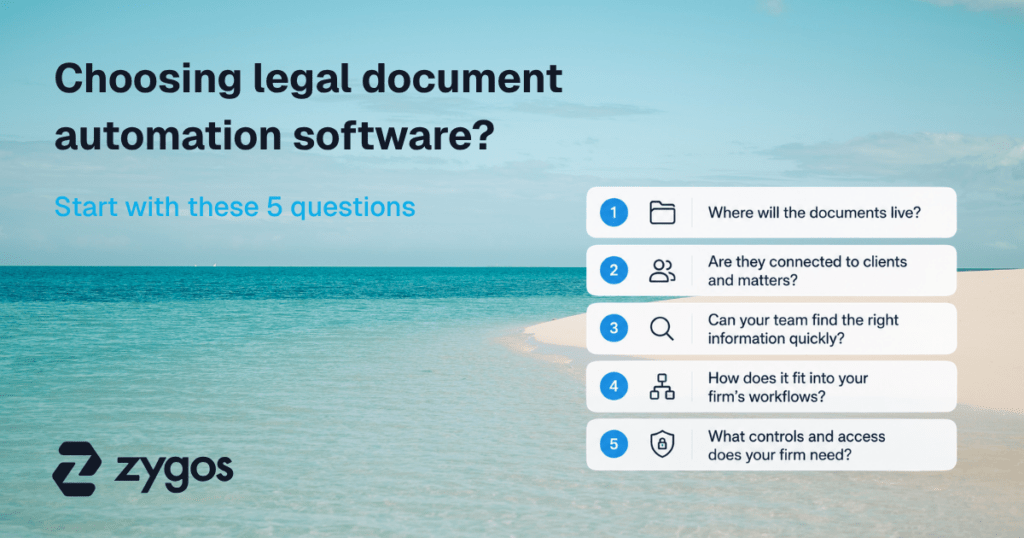

Choosing legal document automation software?
Legal document automation software can cut repetitive work. But generating a document faster does not automatically improve the process around it.
The right software also needs to work with your client and matter data, existing workflows, document storage, and access requirements.
So before comparing feature lists, start with five practical questions. They will help you judge whether a legal document automation tool fits the way your firm actually works.
What is legal document automation software?
Legal document automation software helps legal teams generate documents from reusable templates and existing information.
Instead of copying an old client agreement, replacing names and dates, checking every clause, and saving a new version, a lawyer can use an approved document template and populate relevant information through an automated process.
Document automation can be useful for engagement letters, agreements, forms, resolutions, corporate documents, standard correspondence, and other repeatable legal work.
It is important, however, not to confuse document automation with document management.
Document automation primarily concerns how documents are created. A document management system primarily concerns how documents are stored, organized, secured, searched, versioned, and retrieved.
Some platforms provide capabilities in both areas. Others specialize in one.
Neither category should automatically be treated as a substitute for the other.
That distinction matters when choosing legal document automation software because the finished document still needs somewhere to go.
If you want to explore automation beyond document creation, our guide to legal automation for law firms explains where automation can support compliance, case management, billing, and other legal work.
1. Where will the documents live?
A generated document should end up where your team expects to find it without creating another manual filing process.
Ask vendors to show you what happens after a document is generated.
- Does it go directly to the relevant client or matter record?
- Can your team use an established folder structure?
- Does somebody have to download the document, rename it, and upload it to another system?
Consider a firm generating engagement letters.
The document automation software might create each letter in seconds. But if somebody then needs to:
- Download the document.
- Rename the file.
- Find the appropriate client folder.
- Upload the document.
- Link or record it against the matter.
…the firm has automated document creation without automating much of the work around it.
That may still be worthwhile. But it should be visible in your assessment.
A more connected process could look like this:
Client or matter data → approved template → document generation → appropriate client or matter record
The fewer unnecessary manual steps between those stages, the more useful the automation becomes.
Document automation and document management are different requirements
This is also where firms should be precise about what they actually need.
If your main problem is producing repetitive legal documents, you may need document automation software.
If your main problem is storing, organizing, searching, securing, and controlling large volumes of documents, you may be looking for a legal document management system.
You may need both.
And you should not assume that software with some document management functionality is automatically a dedicated legal document management system.
Zygos is a practice management platform, not dedicated legal document management software. It does, however, include document management functionality that firms can use to record and manage client documents as part of their wider practice workflows.
This distinction matters. We would rather be clear about what Zygos is than position one module as something it is not.
If document management is one of your main requirements, see our comparison of document management systems for law firms.
When evaluating any platform, ask:
- Where will generated documents be stored?
- How will they be organized?
- Does the software fit our existing document-management approach?
- Will users still need to move files manually?
- Can documents remain connected to the client or matter they belong to?
If you need a dedicated DMS, evaluate that requirement separately rather than assuming a document automation tool will replace it.
2. Are documents connected to clients and matters?
Useful legal document automation should reduce duplicate data entry by using information your firm already holds where possible.
This is easy to overlook in a software demo.
A vendor selects a template, fills in a few fields, clicks a button, and a polished legal document appears.
It looks efficient.
But ask where those fields came from.
Suppose you are creating a client agreement that requires:
- Client name
- Address
- Matter reference
- Responsible lawyer
- Relevant dates
- Fee information
- Entity information
If that information already exists elsewhere in your practice, manually entering it again creates more work.
It also creates another opportunity for errors.
Imagine that a client changes address.
Your matter management system contains the new address, but the separate document automation tool still holds the previous one.
Which address appears when the next legal document is generated?
This is why the connection between document automation software and existing client or matter information matters.
Test data reuse, not just document generation
During a demonstration, ask the vendor to start with an existing client or matter.
Then watch what happens.
- Which information is available automatically?
- What has to be entered again?
- If information changes in its original location, how does that affect future documents?
- Where is the generated document recorded?
This gives you a better picture of the real workflow.
A long integrations list cannot tell you how much manual work remains.
For Zygos users, document functionality exists within the wider practice management environment. That means firms can record and manage client documents in the context of the clients, matters, and other practice information they already manage in Zygos.
Again, that does not make Zygos a dedicated document management system.
The benefit is that document-related work can remain connected to the wider practice rather than automatically requiring another disconnected record.
For a broader explanation of how matter, billing, client, and operational functionality fits together, see our guide to legal practice management software.
Good matter management is particularly important here. Documents make more sense when they sit in the context of the work they support. Our guide to legal case management software explores how firms can bring case information, tasks, documents, time, and other day-to-day work together.
3. Can your team find the right information quickly?
Document automation only works well when the information behind the document is reliable and the resulting document can be retrieved when needed.
There are really two tests here:
- First: Can the software access the information required for document creation?
- Second: Can your team find the document afterward?
Check the information behind the template
A reusable template may need information about a client, matter, entity, transaction, responsible lawyer, or another part of the practice.
Before implementing document automation, find out where that information currently lives.
For example:
- Client details may be in your practice management software.
- Entity information may be kept elsewhere.
- A fee arrangement might sit in a client agreement.
- A specific clause may live in a Microsoft Word template.
- Somebody may still maintain key information in a spreadsheet.
If document creation depends on inconsistent information from several places, buying automation software will not automatically solve that problem.
You need to understand the data feeding the automation.
Otherwise, you risk automating an unreliable manual process.
The same principle applies at the client level. A well-structured legal CRM can help firms keep client information and engagement data organized, reducing the need to maintain competing versions of the same information across disconnected systems.
Check how people retrieve the finished document
Next, test retrieval.
Do not give the vendor a filename.
Instead, give them a realistic request:
Find the latest engagement letter for this matter.
Or:
Show me the documents associated with this client.
Watch how they do it.
- Can users search by client or matter?
- Can they search the contents of documents?
- Can metadata help?
- Does the system support version control where your process requires it?
- Can somebody other than the document’s creator find the correct version?
The last question is particularly useful.
A filing system that works only because one person remembers where everything lives is not a strong firm-wide process.
Your team should be able to retrieve legal documents based on the context of the work, not somebody’s memory of a filename.
4. How does it fit into your firm’s workflows?
The best test of document automation software is not the document itself. It is the workflow surrounding it.
Legal document creation is rarely an isolated task.
Take client onboarding.
A typical process could involve:
Client intake → compliance checks → matter creation → document creation → review → signature → filing → follow-up
Document generation is only one stage.
Your automation software might generate the engagement letter perfectly while leaving your team to manually coordinate every stage before and after it.
That does not mean the software is poor.
It means you need to understand exactly what you are buying.
Map the workflow before watching the demo
Choose three document types your firm creates regularly.
For each one, answer:
- What triggers document creation?
- What information does the document need?
- Where does that information come from?
- Who generates the document?
- Who reviews it?
- Who approves it?
- Does it require a signature?
- Where is the completed document recorded?
- What happens next?
You now have a much better software evaluation tool than a generic checklist.
Give that workflow to each vendor.
Instead of asking:
Does your software support workflow automation?
Ask:
Here is our current process. Show us which parts your software handles and which parts remain manual.
That wording encourages a more transparent answer.
Look for the remaining manual processes
Pay particular attention to handoffs.
For example, imagine an onboarding workflow where a legal team:
- Collects client information.
- Runs compliance checks.
- Opens the matter.
- Copies client details into a document automation tool.
- Generates an engagement letter.
- Emails it for signature.
- Downloads the signed document.
- Uploads it to the client record.
- Updates the matter status manually.
Document creation has been automated.
But the process still contains several manual steps.
Your goal should not necessarily be to eliminate every one of them. Human review and approval may be deliberate and valuable.
The goal is to distinguish necessary human judgment from unnecessary administration.
That distinction is especially important during implementation.
Software should fit the firm’s process where that process makes sense. It should also give you an opportunity to question steps that exist only because older tools required them.
Choosing the wider technology around those workflows matters too. Our guide to tools for legal operations looks at software for client onboarding, compliance, billing, documents, and day-to-day legal work.
And document automation is only one part of that technology stack. If you’re assessing the wider setup, our comparison of the best legal practice management software looks at platforms that bring together client management, billing, document storage, compliance, and workflow automation.
5. What controls and access does your firm need?
Legal document automation needs appropriate controls over templates, source information, and completed documents.
Start with the templates.
- Who can create them?
- Who can change standard wording?
- Who approves a new document template?
- Can any lawyer edit an approved clause?
- What happens when a template changes?
- How does the firm make sure attorneys and other legal professionals use the current version?
Then look at access to the underlying information.
A legal document automation tool may use sensitive client and matter information to generate documents.
That makes access controls part of the automation decision.
Consider:
- Who can view templates?
- Who can edit templates?
- Who can generate particular document types?
- Who can approve changes?
- Who can access the client information used in a document?
- Who can access the resulting legal document?
- How are changes recorded?
- Do you require an audit trail?
- What happens when someone’s role changes?
- How does access work across different practice areas?
The exact requirements will vary.
A solo practitioner does not have the same internal access structure as a large law firm or legal department.
If you’re running a smaller practice, our guide to practice management software for solo lawyers looks specifically at how solo practitioners can assess matter management, documents, billing, compliance, and workflow requirements without buying more software than they need.
That is why “role-based permissions” on a feature list tells you relatively little.
Ask the vendor to demonstrate your scenario.
For example, create one user who is allowed to generate a client agreement but cannot modify the underlying reusable template.
Then create another user responsible for maintaining templates.
Can the software enforce that distinction?
Practical tests reveal much more than checkboxes.
Test one real document before you choose
Before buying legal document automation software, ask each shortlisted vendor to automate the same real document and workflow.
This is one of the most useful steps you can take.
Feature lists make document automation tools look remarkably similar.
Your own legal work exposes the differences.
Choose a document your team creates frequently. An engagement letter or client agreement can work well because it usually combines client information, standardized wording, review, and filing.
Then:
- Start with an existing client.
- Generate the document.
- Check where each field comes from.
- Change a piece of client information.
- Generate it again.
- Review the formatting.
- Make a controlled change to the template.
- Complete the document.
- Record or store the final version.
- Find it again.
- Repeat part of the process using someone with different access permissions.
You can then score each platform against the same five questions:
| Question | Practical test |
|---|---|
| Where will documents live? | Generate a document and follow what happens to it |
| Are documents connected to clients and matters? | Check which fields reuse existing information |
| Can your team find information quickly? | Retrieve the document without using its exact filename |
| How does it fit your workflows? | Run the process from trigger to completion |
| What controls and access do you need? | Repeat the workflow with users who have different permissions |
This gives you evidence based on your practice rather than the vendor’s best demonstration.
Do you need document automation, document management, or both?
Define the problem before choosing the category of software.
The terms are related, but they solve different problems.
If lawyers spend too much time copying client information into repetitive documents, maintaining templates, or creating standardized agreements, legal document automation may be the priority.
If your main challenge is organizing, storing, searching, securing, versioning, and retrieving documents, you may need document management software.
If both problems exist, you may need both capabilities.
And there is another possibility: you may need document functionality within a broader practice management platform rather than a standalone product.
That depends on your requirements.
For example, Zygos provides document management functionality as part of its wider practice management platform. Firms can record and manage client documents within the platform, alongside other practice information.
But Zygos is not positioned as dedicated legal document management software.
That distinction should form part of your evaluation.
If your firm requires specialist DMS capabilities, compare dedicated document management systems against those requirements.
If your priority is keeping documents connected to wider client, matter, compliance, billing, and practice workflows, assess how a practice management platform handles those connections.
For another practical perspective on evaluating that broader category, our guide to choosing practice management software for solo lawyers explains why workflows and real operational requirements matter more than feature counts.
There is no universally correct architecture.
There is only the one that best fits your firm’s work, requirements, and existing technology.
What should legal document automation software actually achieve?
The goal is not more automation. It is less unnecessary work without losing control.
Good document automation software should help your legal team reduce repetitive document creation while maintaining the checks that matter.
Depending on your requirements, that could mean:
- Reusing information instead of repeatedly entering it
- Generating documents from approved reusable templates
- Reducing formatting and document creation work
- Connecting documents to the appropriate client or matter
- Supporting review and approval processes
- Making completed documents easy to retrieve
- Maintaining appropriate permissions
- Supporting an audit trail where required
- Reducing unnecessary movement between tools
- Preserving human review where professional judgment is needed
Notice what is not on that list:
Automating everything.
Some manual steps should disappear.
Others exist for a good reason.
The useful question is whether each step contributes something necessary to the legal work.
Final thoughts
Choosing legal document automation software becomes easier once you stop comparing feature counts and start testing real work.
Ask five questions:
Where will the documents live?
Are they connected to clients and matters?
Can your team find the right information quickly?
How does the software fit your firm’s workflows?
What controls and access does your firm need?
- Then choose a real legal document and make shortlisted vendors show you the entire process.
- Ask what the software does.
- Ask what it does not do.
- And ask what your team will still need to do manually.
- That transparency matters more than an impressive demo.
The right legal document automation software should remove repetitive work while fitting the systems, controls, and professional judgment your practice already depends on.